Turn Any Text into a Lesson
Copy web articles, news, emails, or book chapters, or import via system Share. Automatically formats text into elegant paragraphs with smart sentence segmentation.
A practical guide to reading, listening and finding your voice with TextShadow. Start with a few sentences and return to material you enjoy.
Copy web articles, news, emails, or book chapters, or import via system Share. Automatically formats text into elegant paragraphs with smart sentence segmentation.
Listen to natural-sounding AI speech and adjust playback speed to study rhythm, pauses and pronunciation.
Tap the microphone to start recording, follow the sentence at your own pace, then tap it again to stop and begin assessment.
After assessment, inspect the colored word feedback. Tap a word to view its phonetics, definition and pronunciation details. Processing time depends on the sentence and your device.
Use Demo to hear the standard sentence, then My Voice to replay your recording. In a word detail panel, play the standard word and your recorded word separately to compare them.
After setup, speech generation and pronunciation assessment run on your phone. The app does not send practice audio to our servers. Downloads, purchases, Android backup and sharing are covered in the Privacy Policy.
Open Settings and download the offline speech and assessment resources over a stable connection. Wait for installation to finish, allow microphone access when prompted, then start with a short passage. Download size and free space requirements are shown in the app.
Pronunciation scores are learning references, not IELTS, TOEFL or CEFR certification. Recording conditions and your device can affect results.
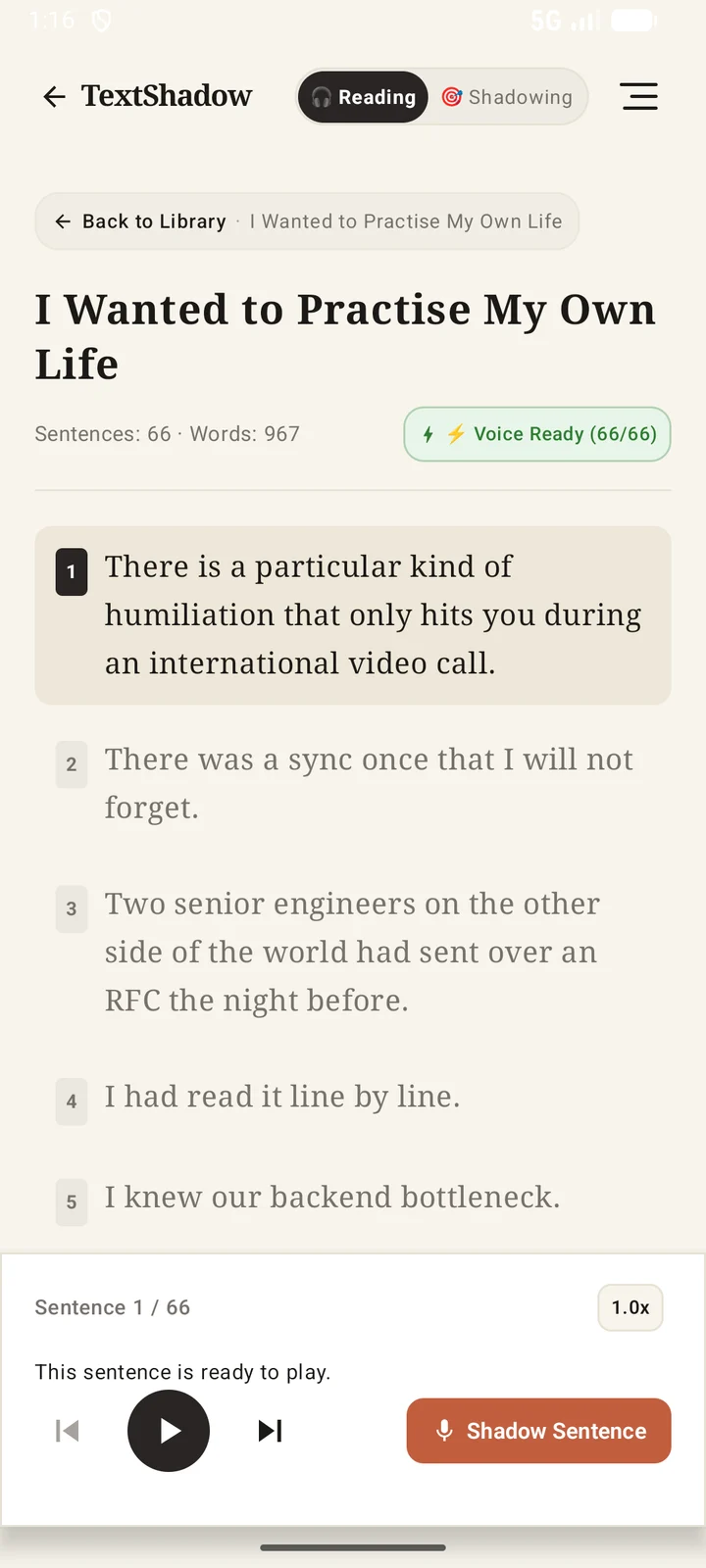
Current Android app · illustrative practice on a test device
JIAREX TextShadow for Android is now available on Google Play. Download it and start practicing English reading, shadowing and pronunciation.
Check the product, the people and the limits behind the claims.